ControlPoint Contractor Control Mobile App
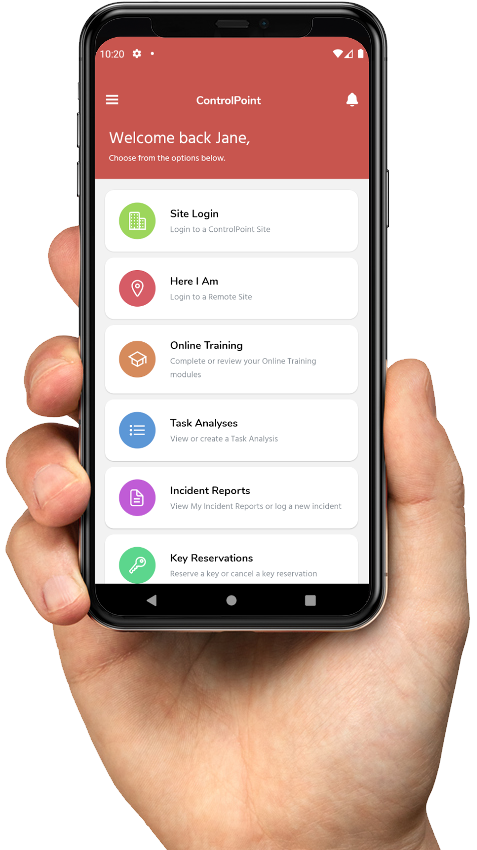
With the ControlPoint Contractor Control Mobile App, Workers can login to ControlPoint Sites using Geolocation Technology, QR Codes or proximity sensors.
When a Worker logs into a ControlPoint Site, ControlPoint checks to see that the Worker has done the required Online Safety Induction Training and met any other criteria needed to work.
Immediately after LOGIN, ControlPoint sends a message back to the Worker and based on the Safety Induction Training that has been completed, it tells which areas of the Site the Worker is authorised to access. It also sends a message to the Property Managers and the Worker's Employer telling them that they have arrived on the Site.
When a Worker has finished working at the Site, they simply LOGOUT. Immediately, the Worker receives a message back telling them that they have been logged out. At the same time, a message is sent to the Property Managers and the Worker's Employer telling them that they have left the Site.
When a Worker logs into a ControlPoint Site, ControlPoint checks to see that the Worker has done the required Online Safety Induction Training and met any other criteria needed to work.
Immediately after LOGIN, ControlPoint sends a message back to the Worker and based on the Safety Induction Training that has been completed, it tells which areas of the Site the Worker is authorised to access. It also sends a message to the Property Managers and the Worker's Employer telling them that they have arrived on the Site.
When a Worker has finished working at the Site, they simply LOGOUT. Immediately, the Worker receives a message back telling them that they have been logged out. At the same time, a message is sent to the Property Managers and the Worker's Employer telling them that they have left the Site.